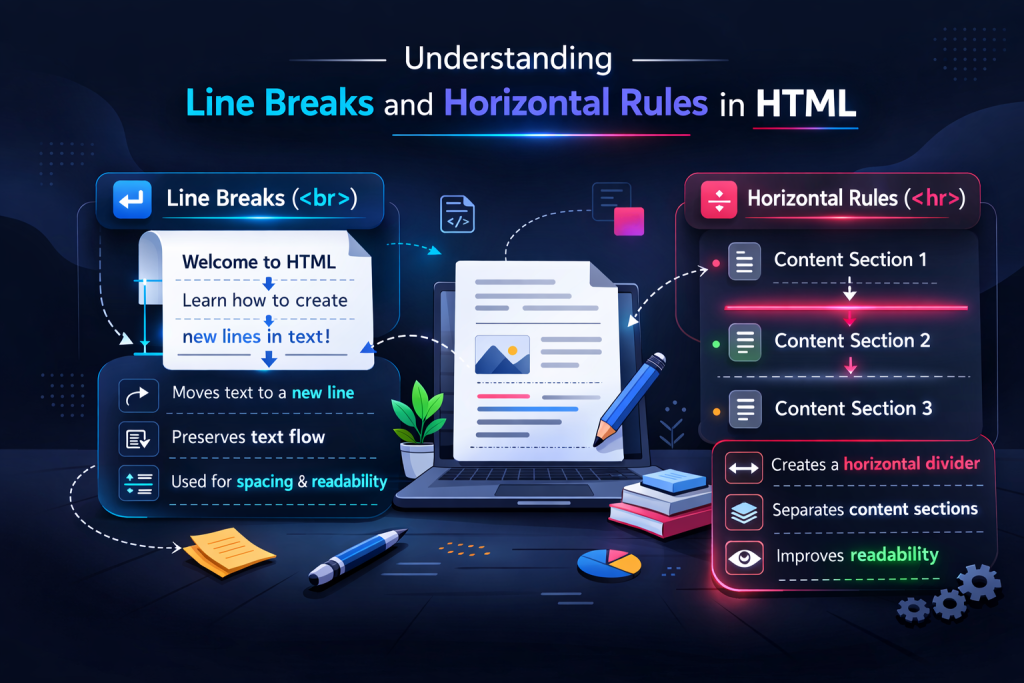
Line Breaks and Horizontal Rules in HTML
Learn when to use html br and hr tags correctly. Understand line breaks in HTML, and how to avoid common spacing mistakes with proper examples.
You have already learned how to write paragraphs with paragraph tags and structure your content using headings. Now it is time to talk about two small but important tools: line breaks in HTML and horizontal rules.
These two elements do not get much attention in beginner tutorials, yet beginners misuse them all the time. By the end of this guide, you will know exactly when to use html br tags, when to use html hr tags, how to handle the html next line problem the right way, and when to use none of these at all.
Let us get into it.
01What Are Line Breaks in HTML?
A line break in HTML forces the text to move to the next line without starting a completely new paragraph. You create it with the HTML br tag:
<p>221B Baker Street<br>
London<br>
England</p>
The browser output looks like this:
221B Baker Street
London
England
See how each line stays inside one paragraph block, but the text itself drops to the next line? That is exactly what html br tags do.
The html br tag is a void element, which means it has no closing tag. You learned about void elements back in our article on HTML tags and elements. It just sits there on its own and does its job.
02The Correct Syntax of the HTML BR Tag
Writing the html br tag is simple. There are two forms you will see:
<!-- HTML5 style (recommended) -->
<br>

<!-- XHTML style (also valid, older convention) -->
<br />
Both work in modern browsers. In HTML5, just use <br>. Keep it simple.
One thing worth mentioning early: html br tags are the only built-in HTML way to force an html next line within a block of text. If you simply press Enter inside your code editor, the browser ignores it.
<br> tag only creates a single line break. If you want to add more visual space between content, that is a job for CSS, not stacking multiple <br> tags.
03When Should You Actually Use Line Breaks in HTML?
This is where most beginners go wrong. They think line breaks in HTML are for spacing content. They are not.
The <br> tag is for cases where the line break itself is part of the content’s meaning. Here are the real use cases:
| Use Case | Tag to Use | Why |
|---|---|---|
| Postal address | br | Each line of an address is part of a single piece of information, not a new paragraph. |
| Poem lines / song lyrics | br | Each line belongs to the same stanza. A new paragraph would break the structure. |
| Separate thoughts / ideas | p | New ideas deserve their own paragraph. Use <p>, not <br>. |
| Adding visual spacing | CSS | Spacing is a design concern. Use margin or padding in CSS. |
| Separating a topic section | hr | A thematic break is what <hr> is made for. |
04BR vs Paragraph Tags: The Real Difference
A lot of beginners use html br tags instead of paragraph tags because they think both just “add a new line.” They do create new lines visually, but they mean completely different things to browsers and screen readers.
Using <br> to separate two different ideas, as if they are a new paragraph. Screen readers treat both lines as part of one sentence flow.
Each separate idea gets its own <p> tag. Screen readers pause properly. Structure is clear. CSS can style the spacing.
Here is a code example that shows both approaches side by side:
<!-- Wrong: using br as a paragraph replacement -->
<p>
  HTML is the foundation of the web.<br>
  CSS handles all the styling.<br>
  JavaScript adds interactivity.
</p>

<!-- Right: three separate ideas, three paragraphs -->
<p>HTML is the foundation of the web.</p>
<p>CSS handles all the styling.</p>
<p>JavaScript adds interactivity.</p>
This directly ties into the semantic thinking we covered in our semantic HTML guide. When your HTML means what it says, everything downstream, including accessibility and SEO, gets better automatically.
05A Real Use Case: Line Breaks in HTML for Addresses and Poetry
Here are the two most classic, correct uses of line breaks in HTML:
<!-- Address: all one thought, lines break within it -->
<address>
  Daniyal Dev<br>
  123 Code Street<br>
  Lahore, Punjab<br>
  Pakistan
</address>

<!-- Poem: line breaks preserve the structure -->
<p>
  Roses are red,<br>
  Violets are blue,<br>
  HTML is amazing,<br>
  And so are you.
</p>
Daniyal Dev
Lahore, Punjab
Pakistan
Roses are red,
Violets are blue,
HTML is amazing,
And so are you.
Notice how the address and the poem each feel like a single connected piece of content. Splitting them into separate <p> tags would break that unity. This is when the html br tag earns its place.
06What Are HTML HR Tags?
The html hr tag stands for “horizontal rule.” It draws a horizontal line across the page. But more importantly, it signals a thematic break in the content.
Think of it like the line between two chapters in a book, or the divider between two completely different topics on a page.
<p>This section talks about HTML basics.</p>

<hr>

<p>This section moves on to CSS fundamentals.</p>
The <hr> tag, just like <br>, is a void element. No closing tag needed.
<hr> carries semantic meaning. It represents a thematic break between sections, not just a decorative line. This distinction matters for accessibility and for how browsers and screen readers treat your page.
07What Does the Default HTML HR Tag Look Like?
Without any CSS, a plain <hr> looks like a simple grey line. With CSS, you can make it anything you want. Here is a visual comparison of different styles:
Default (no CSS)
Styled with a solid accent color
Dashed style
Gradient line (CSS background trick)
You will learn how to apply all of this with CSS later in your journey. For now, understand that the tag itself is semantic, and the visual style is always CSS’s responsibility.
08Styling HTML HR Tags with CSS
Here is how each of those styles above is written. Read through the comments to understand each property:
<!DOCTYPE html>
<html lang="en">
<head>
  <meta charset="UTF-8">
  <title>Styling HR Tags</title>
  <style>
    /* Remove default browser border and use border-top instead */
    .hr-accent {
      border: none;
      border-top: 2px solid #6366f1;
    }

    /* Dashed line */
    .hr-dashed {
      border: none;
      border-top: 2px dashed #6366f1;
    }

    /* Gradient trick using height + background */
    .hr-gradient {
      border: none;
      height: 2px;
      background: linear-gradient(90deg, transparent, #6366f1, #ec4899, transparent);
    }
  </style>
</head>
<body>

  <p>Section one ends here.</p>
  <hr class="hr-accent">
  <p>Section two begins here.</p>

  <hr class="hr-dashed">

  <p>Section three starts now.</p>
  <hr class="hr-gradient">

  <p>Section four continues.</p>

</body>
</html>
One important tip: always set border: none first when styling an <hr>. Browsers add a default border, and if you do not remove it, your new style will stack on top of it and look messy.
09HTML Next Line: Understanding What “Next Line” Really Means in HTML
When beginners first learn HTML, one of the most confusing things is this: html next line behaviour does not work the way you expect.
If you press Enter in your code editor and write text on the next line inside an element, the browser completely ignores that whitespace. Look at this:
<p>This is line one.
This is line two.
This is line three.</p>
The browser will display all three lines as one single paragraph with a single space between them. It collapses all that whitespace.
We covered this browser whitespace behaviour in detail in the paragraph tags article. But the takeaway here is: if you want the browser to actually break to the html next line, you have to explicitly tell it using html br tags, or use a new paragraph, or use white-space: pre in CSS. The html next line problem catches almost every beginner at least once.
Line one.
Line two.
Line three.
(These are just Enter presses in your editor, no <br> tags)
Line one. Line two. Line three.
10When to Use HR vs BR: A Simple Decision Guide
Here is a straightforward way to decide which tag to use whenever you are about to press Enter in your HTML:
11Thematic Breaks: When HR Fits Perfectly
The html hr tag shines when you are writing a blog post, an article, or a documentation page where you shift from one topic to another. It visually signals to the reader: “This section is done. Something new starts here.”
Think about how you are reading this very article. There is an <hr> between each major section. That is intentional. It creates rhythm, breathing room, and helps you scan the page without feeling overwhelmed.
<article>
  <h2>The History of HTML</h2>
  <p>HTML was created by Tim Berners-Lee in 1991...</p>

  <hr>

  <h2>HTML Today</h2>
  <p>HTML5 brought major improvements including semantic elements...</p>

  <hr>

  <h2>The Future of HTML</h2>
  <p>The WHATWG continues to evolve the HTML living standard...</p>
</article>
This is a great pattern. You are not just dropping a visual line between things randomly. There is a real shift in topic at each <hr>. That is what it is designed for.
12Common Mistakes with HTML BR Tags
Let us go through the mistakes that come up constantly, so you can avoid all of them right from the start.
Mistake 1: Using Multiple BR Tags for Spacing
<!-- Wrong: stacking br tags to fake spacing -->
<p>First paragraph.</p>
<br>
<br>
<br>
<p>Second paragraph.</p>

<!-- Right: use CSS margin instead -->
<style>
  p { margin-bottom: 2rem; }
</style>
<p>First paragraph.</p>
<p>Second paragraph.</p>margin or padding. Stacking <br> tags makes your code harder to maintain and breaks down on different screen sizes.
Mistake 2: Using BR Outside of Paragraph Context
<!-- Wrong: br floating loose in the body -->
<h2>My Heading</h2>
<br>
<p>My paragraph starts here.</p>

<!-- Right: let CSS control heading margin -->
<style>
  h2 { margin-bottom: 1.5rem; }
</style>
<h2>My Heading</h2>
<p>My paragraph starts here.</p>
Mistake 3: Using HR Just for Visual Decoration
If you are putting an html hr tag between content that is all part of the same topic, you are misusing it. A purely decorative divider line belongs in CSS or a styled element, not <hr>.
<!-- Wrong: hr used as random decoration, same topic above and below -->
<p>HTML attributes give elements extra information.</p>
<hr>
<p>The class attribute is one of the most used HTML attributes.</p>

<!-- Right: these two sentences belong together, no thematic break -->
<p>HTML attributes give elements extra information. The class attribute is one of the most used.</p>13Common Mistakes with HTML HR Tags
Mistake 1: Using HR Inside Inline Contexts
The html hr tag is a block-level element. You cannot place it inside an inline element like <span> or inside a <p> tag. Browsers will try to fix it, but the result is unpredictable and invalid HTML.
<!-- Wrong: hr inside a paragraph -->
<p>Some text here. <hr> More text here.</p>

<!-- Right: hr sits between block elements -->
<p>Some text here.</p>
<hr>
<p>More text here.</p>
Mistake 2: Forgetting to Reset the Default Border
When styling html hr tags with CSS, most beginners add a border-top without removing the default browser border. This causes a double-line effect.
<style>
  /* Wrong: this causes a double line in some browsers */
  .hr-bad {
    border-top: 2px solid red;
  }

  /* Right: always clear the border first */
  .hr-good {
    border: none;
    border-top: 2px solid #6366f1;
  }
</style>

<hr class="hr-bad">
<hr class="hr-good">14A Full Real-World Example Using Both Tags
Let us put everything together into a complete, clean, real-world HTML page that shows both html br tags and html hr tags used correctly:
<!DOCTYPE html>
<html lang="en">
<head>
  <meta charset="UTF-8">
  <meta name="viewport" content="width=device-width, initial-scale=1.0">
  <title>BR and HR Demo</title>
  <style>
    body {
      font-family: sans-serif;
      max-width: 680px;
      margin: 2rem auto;
      padding: 0 1rem;
      color: #333;
      line-height: 1.7;
    }

    hr {
      border: none;
      border-top: 1px solid #ddd;
      margin: 2rem 0;
    }

    address {
      font-style: normal;
      background: #f5f5f5;
      padding: 1rem 1.25rem;
      border-radius: 8px;
      display: inline-block;
    }

    blockquote {
      border-left: 3px solid #6366f1;
      padding-left: 1rem;
      font-style: italic;
      color: #555;
    }
  </style>
</head>
<body>

  <h1>About Our Studio</h1>
  <p>We build clean, fast, accessible websites for people who care about quality.</p>

  <hr>

  <h2>Our Location</h2>
  <address>
    Daniyal Dev Studio<br>
    Block 5, Tech Street<br>
    Lahore, Punjab<br>
    Pakistan
  </address>

  <hr>

  <h2>A Word from Our Founder</h2>
  <blockquote>
    <p>
      Writing clean HTML is the first skill every developer needs.<br>
      It is not glamorous, but it is the foundation of everything else.
    </p>
  </blockquote>

  <hr>

  <h2>Get in Touch</h2>
  <p>Email us anytime. We reply within 24 hours.</p>

</body>
</html>
Notice the pattern here. Every <hr> marks a genuine topic shift: from the intro, to the address section, to the quote, to the contact section. And every <br> is used only inside the address and the quote, where line structure is part of the meaning.
15HTML BR and HR Tags and Accessibility
Screen readers treat line breaks in HTML and thematic breaks differently.
The html br tag causes a brief pause in reading, similar to a comma. When you use html br tags correctly, screen reader users get that natural pause where the content genuinely needs it, for example in an address. The html hr tag is announced to screen reader users as a “separator” or “horizontal rule,” signalling a major structural shift.
This connects directly to the accessibility principles we explored in our semantic HTML article. Every HTML decision you make is also an accessibility decision.
16HTML BR and HR Tags and SEO
Google’s crawlers read your HTML structure. Misusing html br tags to replace proper paragraph structure means your content appears as one giant wall of text to the crawler, even if it looks fine in the browser. Similarly, scattering html hr tags decoratively without actual thematic meaning adds noise to your document without helping readability or crawlability.
Properly structured content using <p> tags, real heading hierarchy, and thematically placed html hr tags helps search engines understand your content sections. We covered the SEO impact of HTML structure in depth in the HTML document structure article.
Good line breaks in HTML and correct use of html hr tags are small pieces of a larger puzzle, but they matter more than most beginners realise. Even handling the html next line question correctly, using the right element for the right job, contributes to a codebase that Google and users both trust.
17Quick Reference Cheat Sheet: BR and HR Tags
BR and HR at a Glance
Line break. Forces the next word to a new line within the same paragraph. Use for addresses, poems, and structured multi-line content where the break is part of the meaning.
Horizontal rule. Creates a thematic break between major content sections. Semantic in HTML5. Style it with CSS using
border: none first, then border-top.
For new ideas and separate thoughts. This is what you should be using most of the time instead of
<br>. Two ideas = two paragraphs.
For visual spacing, gaps, and decorative dividers. Never use stacked
<br> tags for spacing. Use margin and padding instead.
18What You Learned
You now understand exactly what html br tags and html hr tags do, when to use them, and just as importantly, when not to.
You know that line breaks in HTML are for content where the break carries meaning, such as an address or a poem, not for spacing. You know that html hr tags create thematic breaks between sections, not decorative lines. And you know that when you want to push content to the html next line visually, CSS margin and padding are the right tools for that job.
Clean HTML is a habit, not a talent. Every small decision you make about html br tags, html hr tags, and proper paragraph structure adds up to code that is easier to read, maintain, and scale. Keep building that habit.
Line Breaks and Horizontal Rules in HTML
Loading challenge…
Ready to Practice?
Select a difficulty level above to load your challenge.