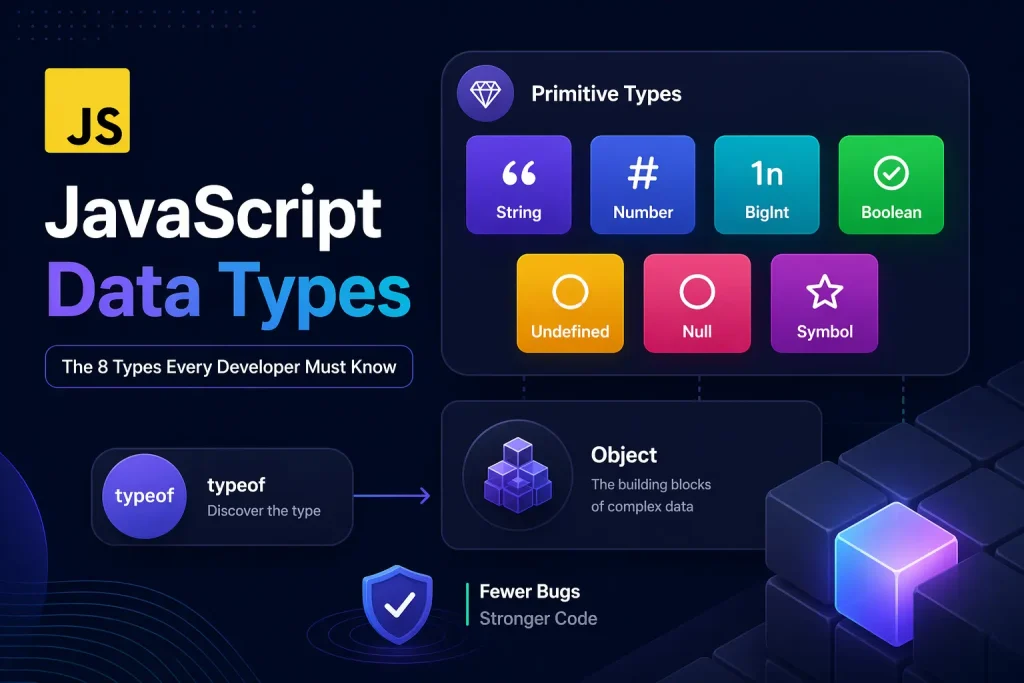
JavaScript Data Types
Learn all 8 JavaScript data types: the 7 primitives (string, number, bigint, boolean, undefined, null, symbol) and the object type. Understand the typeof operator, and its quirks.
When I first hit a JavaScript bug where two values just would not compare correctly, I stared at the screen for a while before realizing I was comparing a string to a number. The logic was solid. The math was right. The types were wrong, and that was all it took.
If you’ve been following along with our variables in JavaScript article, you already know how to create a box for your data with let, const, and var. Now comes the natural question: what kind of data actually goes inside those boxes?
That’s exactly what this article is about. JavaScript has 8 data types in total, and understanding each one, what it does, when to use it, and the traps around it, is what separates developers who write confident code from developers who spend hours debugging what should be a simple comparison.
This isn’t going to be a dry list. We’re going to go through every type with real examples, real quirks, and a couple of interactive demos so you can actually see how this works. Let’s get into it.
This is part of our ongoing JavaScript series. If you’re jumping in fresh, I’d suggest reading Introduction to JavaScript and JavaScript Syntax Fundamentals first. They’ll give you the context that makes this article click faster.
01Before Listing the Types, Here’s Why This Actually Matters
You might be wondering: does knowing data types really prevent bugs? Short answer: yes, more than almost anything else at this stage of learning.
JavaScript is a dynamically typed language. That means you don’t declare what type a variable will hold, unlike languages like Java or C++ where you must say “this is an integer” upfront. JavaScript figures it out at runtime. That flexibility is great, but it’s also where silent bugs are born.
Here’s a real-world example. Imagine you’re reading a user’s age from an HTML form input:
// Reading from an HTML input always gives you a string
let userAge = "25";   // This is a string, not a number

// Now you do a comparison
if (userAge > 18) {
  console.log("Access granted");
}

// Works here by accident (JavaScript coerces the string to number)
// But now try this:
console.log(userAge + 5);   // "255" — not 30!
The addition gives you "255" because JavaScript saw a string and a number, and concatenated them instead of adding. This type of bug is invisible until runtime, and it can affect real users.
Knowing your types means knowing when this happens and how to prevent it.
02Two Categories That Cover Everything
Before we name all 8 types, you need to know that JavaScript groups them into just two categories:
- Primitive types: There are 7 of them. They hold simple, single values. They’re immutable, which means the value itself cannot be changed once created.
- The object type: Just one, but it covers a lot. Objects, arrays, functions, dates: they’re all technically this type. They’re mutable and stored differently in memory.
This distinction matters a lot later when you understand how copying works. But for now, let’s look at all 8 types in the interactive explorer below, then go through each one in detail.
JavaScript Types Explorer
Click any type card to see its details, typeof result, and example values.
String
“hello”
Number
42, 3.14
BigInt
100n
Boolean
true / false
Undefined
undefined
Null
null
Symbol
Symbol(“id”)
Object
{}, [], fn
👆 Click a type card above to explore it
03The 7 Primitive Types in JavaScript
Primitives are simple. Each one holds a single piece of data. They’re the atoms of JavaScript values. Let’s go through all seven.
1. String: Text Data in JavaScript
A string is any piece of text. You wrap it in single quotes, double quotes, or backticks. All three work, but backticks give you superpowers (template literals, which we’ll cover in the next article).
let firstName = "Daniyal";        // double quotes
let city = 'Karachi';             // single quotes
let message = `Hello, ${firstName}!`;  // template literal (backticks)

console.log(firstName);   // Daniyal
console.log(city);        // Karachi
console.log(message);     // Hello, Daniyal!

console.log(typeof firstName);   // "string"
console.log(firstName.length);   // 7
Strings have a length property and a ton of built-in methods like .toUpperCase(), .includes(), and .split(). We’ll cover all of those in detail in the Strings in JavaScript article coming up next in the series.
One thing worth knowing now: strings are immutable. Once you create a string value, you can’t modify individual characters in it. Every string operation returns a new string, rather than changing the original. This is important to keep in mind.
2. Number: One Type Handles All Numeric Values
In most programming languages, there are separate types for integers (whole numbers) and floats (decimals). JavaScript keeps it simple: there’s just one number type for both.
let age = 25;          // integer
let price = 9.99;      // float
let negative = -100;   // negative number
let big = 1_000_000;   // underscore separator (readable!)

console.log(typeof age);     // "number"
console.log(typeof price);   // "number" — same type!

// Special number values
console.log(Infinity);    // Infinity
console.log(-Infinity);   // -Infinity
console.log(NaN);         // NaN (Not a Number)

// NaN quirk worth knowing
console.log(typeof NaN);          // "number" — yes, NaN is type "number"
console.log("hello" / 2);         // NaN — can't divide a string
console.log(Number("hello"));     // NaN — can't convert non-numeric string
0.1 + 0.2 does not equal 0.3 exactly in JavaScript. It gives 0.30000000000000004. We’ll dig into why that happens and how to handle it in the Numbers in JavaScript article coming soon.
3. BigInt: When Regular Numbers Aren’t Enough
JavaScript’s number type can safely represent integers up to 2^53 - 1, which is 9007199254740991. Once you go beyond that, you start getting rounding errors. Enter BigInt, added in ES2020.
// The limit of safe integers with regular Number
console.log(Number.MAX_SAFE_INTEGER);     // 9007199254740991

// What happens beyond the limit
console.log(9007199254740991 + 1);   // 9007199254740992 (correct)
console.log(9007199254740991 + 2);   // 9007199254740992 (wrong! same result)

// BigInt fixes this — add 'n' suffix to the number
let bigNum = 9007199254740991n;
console.log(bigNum + 1n);   // 9007199254740992n (correct!)
console.log(bigNum + 2n);   // 9007199254740993n (also correct!)

console.log(typeof bigNum);   // "bigint"

// You can't mix BigInt and Number without explicit conversion
// console.log(bigNum + 1);  // TypeError!
console.log(bigNum + BigInt(1));  // Works fine
You’ll use BigInt when working with very large integers: financial calculations, cryptography, database IDs that exceed safe integer limits. For everyday use, regular number is just fine.
4. Boolean: The Simplest Type That Powers All Your Logic
Boolean is the most straightforward type. It has exactly two possible values: true or false. That’s it. No in-between, no maybe.
let isLoggedIn = true;
let hasPermission = false;

console.log(typeof isLoggedIn);   // "boolean"

// Booleans come from comparisons
let age = 20;
console.log(age >= 18);    // true
console.log(age === 25);   // false

// Booleans drive your if statements
if (isLoggedIn) {
  console.log("Welcome back!");
} else {
  console.log("Please log in");
}

// Boolean() converts other values to boolean
console.log(Boolean(1));        // true
console.log(Boolean(0));        // false
console.log(Boolean("hello"));  // true
console.log(Boolean(""));       // false
console.log(Boolean(null));     // false
That last part, where Boolean() converts other types, is tied to a concept called truthy and falsy values, which has its own full article in our series. For now, just know that booleans are the backbone of every conditional check you write.
5. Undefined: A Variable With No Value Yet
When you declare a variable but don’t assign a value to it, JavaScript automatically gives it the value undefined. It’s also what you get when you access a function parameter that was never passed, or when a function doesn’t explicitly return anything.
let myVar;
console.log(myVar);          // undefined
console.log(typeof myVar);   // "undefined"

// Function with no return
function doSomething() {
  // no return statement
}
let result = doSomething();
console.log(result);         // undefined

// Accessing a missing property
let user = { name: "Daniyal" };
console.log(user.email);     // undefined (property doesn't exist)
Think of undefined as JavaScript’s way of saying: “this exists, but nobody gave it a value.” It’s not an error. It’s the default state of an uninitialized variable.
6. Null: The Intentional Empty Value
Null looks similar to undefined at first glance, but the intent is completely different. While undefined means “no value was assigned,” null means “I explicitly set this to empty on purpose.”
let selectedUser = null;   // intentionally empty, no user selected yet

console.log(selectedUser);          // null
console.log(typeof selectedUser);   // "object" ← famous quirk! (see note below)

// The difference in practice
let a;         // undefined — developer forgot / hasn't set it yet
let b = null;  // null — developer intentionally says "no value here"

// Comparing them
console.log(a == b);    // true  (loose equality treats them as equal)
console.log(a === b);   // false (strict equality sees they're different types)

// Checking for null or undefined
if (selectedUser === null) {
  console.log("No user selected");
}
typeof null returns "object", which is historically wrong. This is a bug from JavaScript’s very first release in 1995. It could never be fixed because too much existing code already depended on this behavior. To check if something is null, always use strict equality: value === null, not typeof value.
7. Symbol: The Guaranteed Unique Identifier
Symbol is the newest primitive type, added in ES2015. I’ll be honest: this one confused me initially too. But the concept is simple once you see it: every Symbol you create is guaranteed to be unique, no exceptions.
let sym1 = Symbol("userId");
let sym2 = Symbol("userId");

// Same description, but not equal
console.log(sym1 === sym2);    // false (always!)
console.log(typeof sym1);      // "symbol"

// Where Symbols shine: unique object keys
const ROLE_KEY = Symbol("role");

let user = {
  name: "Daniyal",
  [ROLE_KEY]: "admin"   // Symbol as a property key
};

console.log(user.name);           // "Daniyal"
console.log(user[ROLE_KEY]);      // "admin"
console.log(user["role"]);        // undefined — can't access with string key!

// Symbols don't show up in regular loops or JSON
console.log(Object.keys(user));   // ["name"] — ROLE_KEY is hidden
Symbols are most useful when you’re building libraries or frameworks and you need property keys that can’t accidentally conflict with user-defined keys. For everyday app code, you won’t use Symbols often, but knowing they exist and what they do is important.
04The 8th Type: Object, JavaScript’s One Non-Primitive
Everything that isn’t a primitive is an object. That’s a wide net. Plain objects with key-value pairs, arrays, dates, regular expressions, and even functions are all technically the object type in JavaScript.
// All of these are objects
let person = { name: "Daniyal", age: 25 };
let colors = ["red", "green", "blue"];
let today = new Date();
let pattern = /hello/gi;

console.log(typeof person);    // "object"
console.log(typeof colors);    // "object" — arrays are objects!
console.log(typeof today);     // "object"
console.log(typeof pattern);   // "object"

// Functions are objects too, but typeof gives a special result
function greet(name) {
  return `Hello, ${name}`;
}

console.log(typeof greet);    // "function" — not "object" (special case)
console.log(greet instanceof Object);   // true — still IS an object though
That last part is interesting: typeof function returns "function" even though functions are technically objects. It’s a special case in the language to make type-checking functions easier.
Objects are the building blocks of almost everything you’ll write in JavaScript. We’ll go much deeper into objects in their own dedicated article later in the series. For now, just know that they are mutable (you can change their properties), and they behave very differently from primitives when you copy them. We’ll see exactly how in the demo below.
05The typeof Operator: Your Built-In Type Checker
When you need to know what type a value is at runtime, typeof is your go-to tool. You’ve already seen it used throughout the code examples above. Here’s a complete reference of what it returns for every type.
The typeof Operator: Complete Output Reference
Every possible typeof result, including the two famous quirks (marked in red).
typeof null === "object" is a historical bug from 1995. Always use value === null to check for null specifically. 2) typeof NaN === "number" feels wrong, but NaN is technically a numeric value that represents an invalid calculation result. Use Number.isNaN(value) to check for NaN.
One more useful thing about typeof: it’s safe to use even on variables that haven’t been declared at all, unlike most other operations that would throw a ReferenceError.
// Accessing undeclared variable — throws error
// console.log(notDeclared);   // ReferenceError!

// But typeof on undeclared variable — safe!
console.log(typeof notDeclared);   // "undefined" (no error!)

// This is useful for feature checking
if (typeof window !== "undefined") {
  console.log("Running in the browser");
} else {
  console.log("Running in Node.js");
}
This pattern is common in code that needs to run in both browser and Node.js environments. You’ll see it a lot in real projects.
06How Primitives and Objects Are Stored Differently
This section is where a lot of beginners hit surprising bugs, so pay close attention. The difference is simple to explain but has big consequences in real code.
Primitives are copied by value. When you copy a primitive, you get a completely independent copy. Changing one does not affect the other.
Objects are copied by reference. When you copy an object (or array), you’re not copying the data. You’re copying the address that points to the data. Both variables end up pointing at the same thing in memory.
Use the demo below to see exactly what this looks like:
Copy by Value vs Copy by Reference
See what happens when you “copy” a primitive vs an object. Click the button to run the copy step.
Primitive (Number)
Step 1: Initial value
Step 2: Copy to b
Step 3: Change b to 20
Independent copy. b changed to 20 but a remains 10. Primitives don’t share.
Object
Step 1: Initial object
Step 2: Copy to userB
Step 3: Change userB.name
Shared reference! Changing userB.name also changed userA.name. They point to the same object in memory.
That shared reference behavior is one of the most common sources of hard-to-find bugs in JavaScript projects. You think you’re working with a copy, but you’re actually modifying the original. We’ll cover how to properly clone objects and arrays (using spread syntax and structured clone) in the upcoming articles on Objects and the Spread operator.
07Type-Based Bugs That Actually Show Up in Real Projects
Let me show you three specific type bugs that developers encounter regularly. Each one has a clear cause and a clear fix.
Bug 1: Adding Numbers That Come From Inputs
// Form inputs always give strings
let qty = "3";       // from an input field
let price = "9.99";  // also from an input

// Looks like math, but it's string concatenation
console.log(qty + price);   // "39.99" — wrong!

// Fix: convert to numbers first
let total = Number(qty) * Number(price);
console.log(total);   // 29.97 — correct

// Or use parseInt / parseFloat
let quantity = parseInt(qty, 10);   // 3
let unitPrice = parseFloat(price);  // 9.99
console.log(quantity * unitPrice);  // 29.97
Bug 2: Comparing a Value That Might Be Null
// Dangerous check — typeof null is "object" so this fails
function processUser(user) {
  if (typeof user === "object") {
    // This runs even when user is null!
    console.log(user.name);   // TypeError: Cannot read properties of null
  }
}

processUser(null);   // Crash!

// Safe check — always guard null explicitly
function processUserSafe(user) {
  if (user !== null && typeof user === "object") {
    console.log(user.name);   // Safe
  } else {
    console.log("No user provided");
  }
}

processUserSafe(null);           // "No user provided"
processUserSafe({ name: "Daniyal" });  // "Daniyal"
Bug 3: Checking If a Value Exists but Getting Confused by Falsy Primitives
// You're checking if a setting was provided
function applyDiscount(price, discountPercent) {
  // Bug: if discountPercent is 0, this treats it as "not provided"
  if (discountPercent) {
    return price - (price * discountPercent / 100);
  }
  return price;  // Skips 0% discount even when 0 was intentionally passed
}

console.log(applyDiscount(100, 10));   // 90 (correct)
console.log(applyDiscount(100, 0));    // 100 (wrong — 0% discount should still apply)

// Fix: check for undefined specifically
function applyDiscountFixed(price, discountPercent) {
  if (discountPercent !== undefined) {
    return price - (price * discountPercent / 100);
  }
  return price;
}

console.log(applyDiscountFixed(100, 10));    // 90 (correct)
console.log(applyDiscountFixed(100, 0));     // 100 (correct — 0% = no change)
That third one is subtle. The number 0 is falsy in JavaScript, so a plain if (discountPercent) check treats 0 as if nothing was passed. Always be specific about what you’re checking when dealing with numbers that could legitimately be zero.
08Quick Reference: All 8 JavaScript Data Types
Here’s a clean summary of everything we covered. Bookmark this or come back whenever you need a reminder.
// All 8 JavaScript data types in one place

// --- 7 Primitive Types ---
let str      = "hello";           // string
let num      = 42;                // number
let big      = 9007199254740993n; // bigint
let bool     = true;              // boolean
let undef;                        // undefined (no assignment)
let empty    = null;              // null (intentional empty)
let id       = Symbol("id");      // symbol

// --- 1 Object Type ---
let obj      = { name: "Daniyal" };   // object (plain)
let arr      = [1, 2, 3];             // object (array)
let fn       = function() {};          // function (object, special typeof)

// --- typeof for each ---
console.log(typeof str);     // "string"
console.log(typeof num);     // "number"
console.log(typeof big);     // "bigint"
console.log(typeof bool);    // "boolean"
console.log(typeof undef);   // "undefined"
console.log(typeof empty);   // "object"   ← quirk! use === null instead
console.log(typeof id);      // "symbol"
console.log(typeof obj);     // "object"
console.log(typeof arr);     // "object"   ← use Array.isArray() for arrays
console.log(typeof fn);      // "function" ← special case for callable objects
09What’s Coming Next in the Series
Now that you know all 8 types exist and what they represent, the next few articles dig deep into the ones you’ll use constantly. Starting with:
- Strings in JavaScript: Single vs double vs template literals, all the essential string methods, and how string immutability actually works in practice.
- Numbers in JavaScript: The floating point problem explained properly, NaN and Infinity,
parseInt,parseFloat, and the Math object. - Booleans, null, and undefined: The six falsy values in JavaScript and how they feed into all your conditional logic.
Understanding JavaScript’s syntax rules helps a lot here because the type system ties directly into how expressions are evaluated and how the runtime makes decisions. If you skipped that article, it’s worth going back.
Types feel like a small thing until the moment they cause a bug at 11pm the night before a deadline. Learn them now, and you’ll spend a lot less time confused later. That’s the whole point.
JavaScript Data Types
Loading challenge…
Ready to Practice?
Select a difficulty level above to load your challenge.